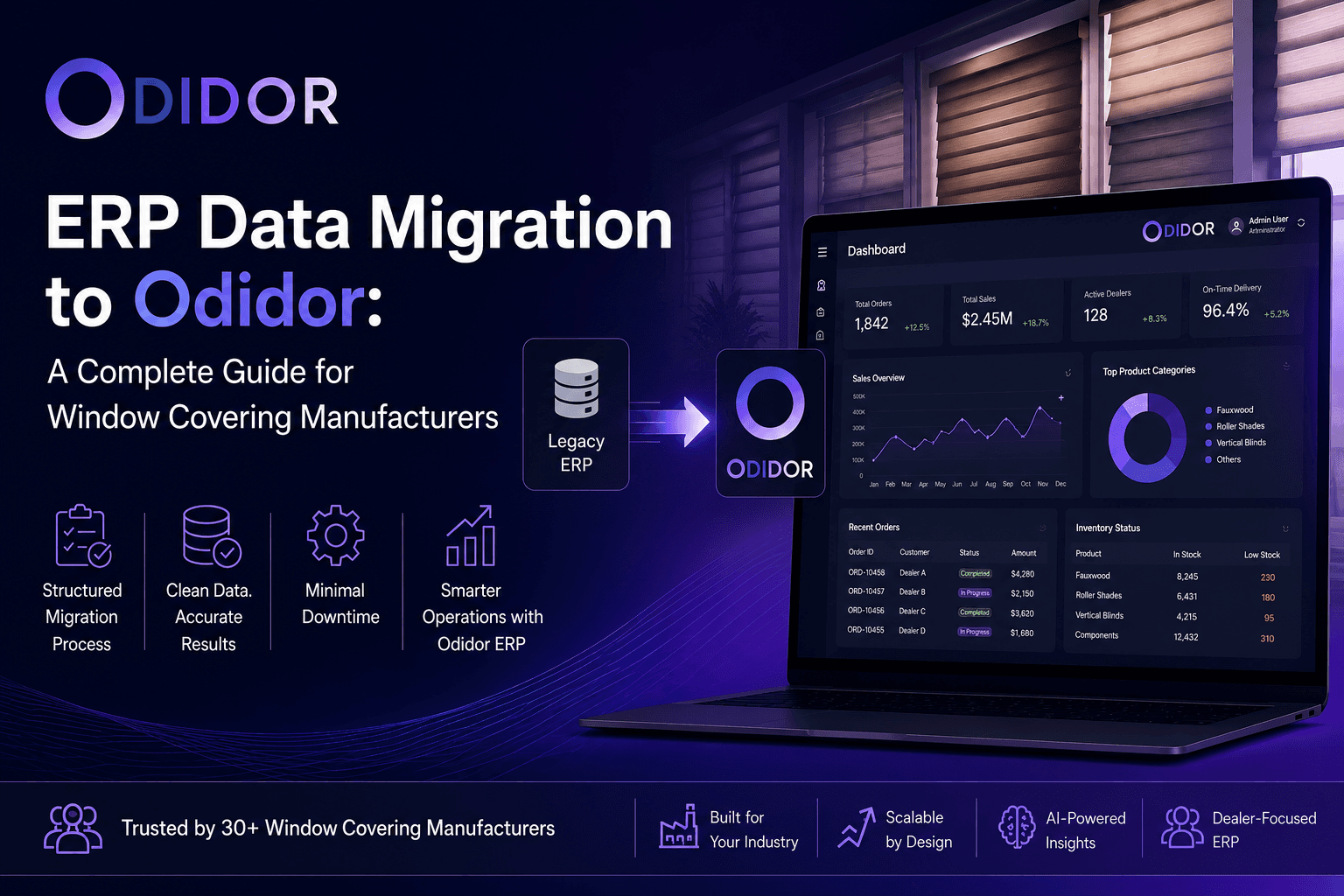
Switching ERP systems is one of the most consequential decisions a manufacturing business can make. When your current system can no longer keep pace with growing order volumes, dealer networks, or multi-location operations, it's time to consider a migration. For window covering and blinds manufacturers, migrating to Odidor ERP offers a purpose-built alternative to generic platforms — one designed specifically around the way your business operates.
This guide walks you through everything you need to know before, during, and after your ERP data migration to Odidor.
Why Migrate to Odidor ERP?
Most manufacturers start their ERP journey with general-purpose platforms — tools built for a broad audience that require heavy customization to fit industry-specific workflows. Over time, these workarounds create technical debt, data silos, and reporting gaps.
Odidor ERP was built from the ground up for window covering manufacturers. It delivers:
- Smart Order Management — automated pricing calculations based on width, height, and material selection
- Dynamic Inventory Control — real-time stock management for components like Fauxwood and Roller Shades
- Dealer Portal & Commission Tracking — a dedicated interface for managing dealer networks, order placement, and performance
- Role-Based Access Control — granular permissions for Admin, Production Manager, Warehouse Installer, and Associates
- Multi-Branch Coordination — synchronized operations across locations with a centralized dashboard
- AI-Powered Analytics — trend analysis, demand forecasting, and sales performance insights
Trusted by 30+ companies — including HiTech Windows & Blinds, Big Brands Blinds, and Skyline Shades — Odidor is purpose-built to scale with manufacturers, not against them.
Understanding the Data Migration Process
ERP data migration is the process of transferring your business data — orders, inventory records, customer accounts, dealer information, financial history — from your existing system into Odidor. Done right, it's a clean transition. Done poorly, it can introduce data loss, duplicates, and operational downtime.
Here's what a well-structured migration looks like.
Phase 1: Planning & Scoping
Before moving a single record, define the boundaries of your migration:
What data needs to move?
- Active and historical orders
- Inventory levels and product configurations
- Customer and dealer profiles
- Invoices and payment records
- Employee and role data
What data can be archived or retired?
Not everything in your old system is worth carrying forward. Outdated supplier records, obsolete product SKUs, and duplicate entries should be cleaned before migration — not after.
Set your go-live date.
Work backwards from your target launch to map out realistic timelines for each phase.
Phase 2: Data Auditing & Cleansing
Poor data quality is the number one cause of failed ERP migrations. Before export, run a full audit of your existing data:
- Remove duplicates — dealer accounts entered twice, repeated SKUs, overlapping order records
- Standardize formats — dates, phone numbers, address fields, and product codes should follow a consistent format
- Validate completeness — identify records with missing required fields
- Flag anomalies — orders with impossible dimensions, negative inventory counts, or unlinked invoices
Clean data going in means clean data in Odidor from day one.
Phase 3: Data Mapping
Data mapping is where your legacy data structure gets translated into Odidor's schema. This is one of the most technical steps of the migration and requires close collaboration between your team and Odidor's onboarding specialists.
Key mapping considerations include:
- Product configurations — how your existing product types (e.g., Roller Shades, Fauxwood) map to Odidor's dynamic inventory model
- Order fields — custom fields in your old system need to align with Odidor's order management structure
- Dealer hierarchy — mapping your dealer tiers and commission rules to Odidor's dealer portal structure
- User roles — translating existing staff permissions into Odidor's role-based access framework
Document every mapping decision. This becomes your reference if discrepancies surface post-migration.
Phase 4: Test Migration
Never go live without a test run. A test migration involves:
- 1.Exporting a representative sample of your data
- 2.Running it through the migration pipeline into a staging environment
- 3.Validating output against expected results
- 4.Identifying and resolving any transformation errors
Run at least two rounds of test migrations before scheduling your production cutover. Involve end-users — your production managers, warehouse staff, and dealer admins — in the validation process. They'll catch issues that technical reviews miss.
Phase 5: Production Cutover
Your cutover strategy determines how you transition from your old ERP to Odidor. Two common approaches:
Big Bang Migration — all data is migrated in a single cutover window, typically over a weekend. Lower complexity, higher risk. Best suited for smaller datasets.
Phased Migration — data is migrated in segments (e.g., inventory first, then orders, then financial records). Lower risk, longer transition period. Better for larger operations with complex data structures.
For most window covering manufacturers, a phased approach with a parallel run period — where both systems operate temporarily — minimizes disruption to dealer orders and production schedules.
Phase 6: Post-Migration Validation
Once Odidor is live, validate before closing out the migration:
- Cross-check migrated record counts against source system totals
- Verify inventory levels match physical stock counts
- Confirm dealer portals are accessible and order history is intact
- Test order creation end-to-end with automatic pricing calculations
- Review AI-generated reports against known historical benchmarks
Assign a validation owner from each department — operations, finance, and dealer management — to sign off on their respective data sets.
Common Pitfalls to Avoid
Underestimating data volume.
Manufacturers often have years of order history across multiple product lines. Start your data audit early.
Skipping user training.
A successful migration is only valuable if your team can use the new system confidently. Odidor's role-based interface is intuitive, but onboarding time for your production and warehouse teams should be built into the project plan.
Migrating dirty data.
Resist the temptation to migrate first and clean later. Post-migration cleanup is significantly harder and more disruptive.
No rollback plan.
Always maintain a read-only backup of your legacy system data for a defined period post-go-live.
What Makes Odidor Different for This Journey
Unlike migrating to a generic ERP, moving to Odidor means you're migrating to a system that already understands your business. The product configurations, dealer structures, and manufacturing workflows you've built workarounds for in your old system are native features in Odidor.
That means less custom mapping, fewer edge cases, and a system that's ready to support your operations from the moment migration completes.
Ready to Make the Move?
ERP data migration is a significant undertaking — but with the right preparation and the right platform, it's a one-time investment that pays dividends for years. Odidor's onboarding team works alongside you through every phase of the migration, from data audit to go-live validation.
Request a Demo to see how Odidor ERP can transform your operations — and learn exactly what your migration path looks like.
. . . . . . . . .
Odidor ERP is trusted by 30+ window covering manufacturers across North America. Learn more at odidor.app.